Blend the Best of Both Worlds: Top Digital Tools for Planning a Successful Hybrid Business Event

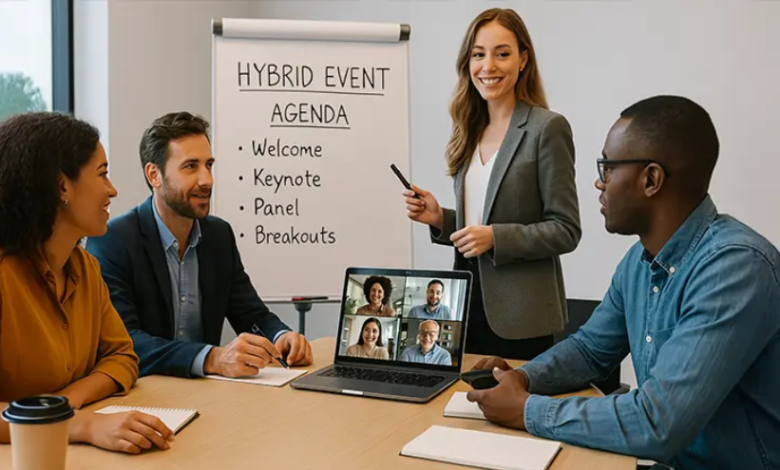
Hybrid events are no longer a backup plan — they’re a strategic move. Combining the energy of in-person experiences with the reach of digital audiences, hybrid business events allow brands to engage broader groups, create flexible attendance options, and multiply their impact.
But pulling off a hybrid event requires more than setting up a webcam. You need the right tech stack to manage guests, keep experiences seamless, and deliver value across both channels. Here are some of the best digital tools to help you plan, promote, and execute a standout hybrid event — plus a handy FAQ for designing invitations that impress.
1. Hopin: The All-in-One Hybrid Event Platform
Hopin is one of the most popular platforms for hosting hybrid events — from multi-day conferences to product launches. It allows you to manage registration, live sessions, breakout rooms, sponsor booths, and networking areas all in one place.
Unique Tip: Use Hopin’s “Reception” area as a digital lobby. Include a welcome video, agenda links, or sponsor spotlights to greet online attendees just like you would an in-person guest with signage or swag.
2. Airmeet: Virtual Tables for Real Conversations
Airmeet shines when it comes to networking. Its virtual “tables” replicate roundtable or cocktail-style conversations — making remote attendees feel like they’re part of the in-person buzz.
Pro Move: Use Airmeet to run a hybrid VIP lounge. In-person attendees can mix with remote thought leaders or speakers during scheduled networking breaks. It’s a great way to cross-pollinate connections and boost post-event engagement.
3. Slido: Live Interaction Made Seamless
Slido integrates with Zoom, Webex, and Teams and is built for Q&A, polls, and real-time feedback. Whether your audience is in a ballroom or at home, everyone can ask questions or vote instantly.
Bonus Tip: Use Slido for hybrid icebreakers or opinion polls throughout the day to keep all attendees involved. Then display results live on a screen at the venue and the stream — it’s a small touch that builds unity.
4. Splash: Branded Guest Management and RSVP Magic
Splash offers RSVP forms, event pages, email confirmations, and check-in tools—all customizable and on-brand. It’s ideal for hybrid events that need clear, professional communication for both audiences.
Workflow Trick: Use dynamic RSVP paths. Direct in-person guests to parking info or dress codes, and virtual guests to platform instructions or tech support. One form, two optimized experiences.
5. StreamYard: Browser-Based Broadcasting That Just Works
StreamYard makes it easy to stream your event across platforms like YouTube, LinkedIn, and Facebook. No downloads, no studio setup — just clean, professional video and audio straight from your browser.
Smart Setup: Use StreamYard to bring remote speakers into a live event seamlessly. You can brand the screen, switch views, add overlays, and even pre-load clips — all while managing everything live.
See also: About Qy-45y3-Q8w32 Model: the Future of Smart Home Technology
6. Miro: Whiteboarding for the Hybrid Brainstorm
Miro is a collaborative online whiteboard that’s ideal for hybrid workshops, planning sessions, or co-creation breakouts. In-person attendees can interact on a touchscreen, while remote users join on their own devices.
Use Case: Let both virtual and in-room teams vote on priorities or brainstorm new features. Seeing digital sticky notes move in real time keeps everyone aligned, regardless of where they’re sitting.
📩 FAQ: Tools for Designing Event Invitations That Wow
No matter how tech-savvy your event is, your invitation sets the tone. It’s the first impression your guests get—so make it count. Here are some of the most common questions event organizers ask when choosing the right invitation design tools.
Q: What are the top free platforms to design online invitations quickly?
There are several user-friendly options out there, but Adobe Express is a standout for its balance of design quality and ease of use. It includes a free invitation maker with beautiful templates, intuitive editing tools, and a fast export process. It’s perfect for both professionals and beginners who want great-looking invites in minutes.
Q: Which tools offer stylish templates for custom event invitations?
Adobe Express, VistaCreate, and Greetings Island all offer robust template libraries tailored for business events, webinars, and launches. They let you customize typography, colors, and branding to match the tone of your hybrid event.
Q: I want to send digital and printed invites. What tool supports both?
Look for platforms that offer high-resolution exports and professional print options. Adobe Express and Paperless Post both allow you to design once and download or distribute across digital and print channels—ideal for covering all guest preferences.
Q: What if I have zero design experience—can I still make something polished?
Yes. Tools like Adobe Express and PosterMyWall are built for non-designers. They use drag-and-drop interfaces, pre-loaded color palettes, and layout guides to help anyone create a sleek, professional-looking invitation.
Q: I need a wide selection of templates to find the perfect fit. Where should I start?
Adobe Express, Greetings Island, and Venngage offer expansive template galleries that span everything from formal dinners to startup mixers. This makes it easy to match your invite to your brand personality and audience vibe.
Planning a hybrid business event doesn’t need to feel overwhelming. With the right digital tools, you can connect in-person energy with virtual accessibility—without sacrificing experience. From live streaming and engagement to collaborative planning and professional invitations, these platforms are built to make your event unforgettable, no matter where your audience joins from.
So power up your toolkit, polish your invites, and get ready to run your smoothest hybrid event yet.